
Notice
Recent Posts
Recent Comments
Link
| 일 | 월 | 화 | 수 | 목 | 금 | 토 |
|---|---|---|---|---|---|---|
| 1 | ||||||
| 2 | 3 | 4 | 5 | 6 | 7 | 8 |
| 9 | 10 | 11 | 12 | 13 | 14 | 15 |
| 16 | 17 | 18 | 19 | 20 | 21 | 22 |
| 23 | 24 | 25 | 26 | 27 | 28 | 29 |
| 30 | 31 |
Tags
- 자바스크립트
- 제로초
- 관계형데이터베이스
- 컴퓨터공학개론
- Nodejs 프로젝트
- 블록몽키
- nodejs
- 생활코딩 nodejs
- DataStructure
- 파이썬 알고리즘
- SQL
- vs code
- 블록체인
- al
- hyperledger fabric
- 깃
- javascirpt
- javascript 게임
- 블록체인개론
- javascript 초급
- 프로그래밍
- algorithum
- 컴퓨터사이언스
- Javascript
- 하이퍼레저
- js
- Blockmonkey
- hyperledger
- mysql
- 생활코딩
Archives
- Today
- Total
Blockmonkey
Wallet Connect 사용법 본문
개요
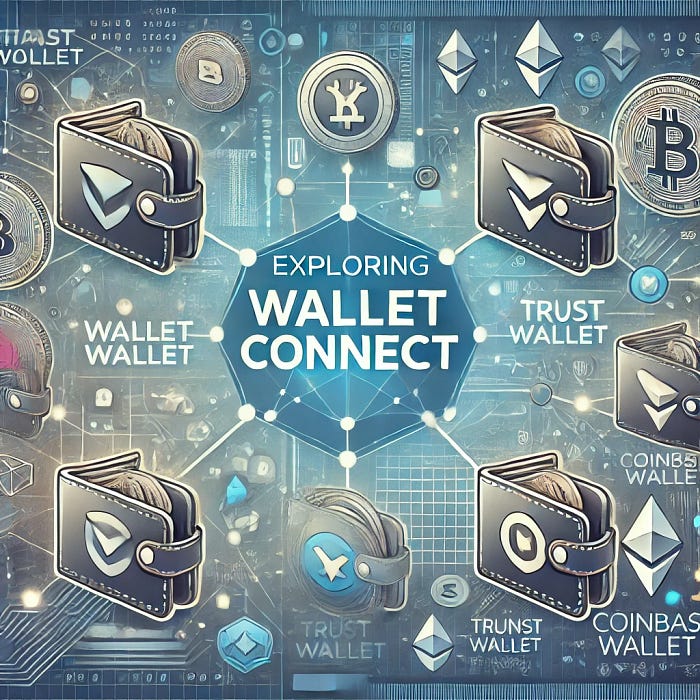
Wallet Connect 를 활용해서 Metamask Extension 외에 매우 다양한 지갑들 (Trust Wallet, Mobile Metamask, Coinbase Wallet)에 연결이 가능하여 탐색해본다.
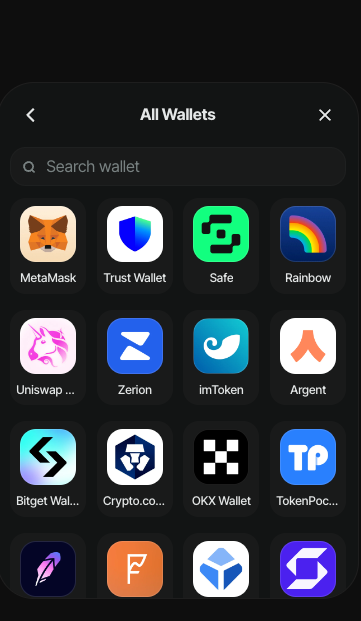
Wallet Connect Supports
실습목표
- Wallet Connect 를 사용하여 Web3 Wallet & Dapp 간 연결이 가능하다.
- Wallet Connect 로 연결한 지갑으로 트랜잭션을 발생시킬 수 있다.
사용방법
- https://cloud.walletconnect.com 를 통해 가입하고, project를 생성하여 project ID를 부여받는다. (프로젝트를 생성하고 대쉬보드로 이동)

2. Nextjs등 웹 프로젝트 생성 및 디팬던시 다운로드
# Next app
npx create-next-app .

# Install Dependency
npm install @web3modal/ethers ethers
2. web3modal.tsx라는 컴포넌트를 생성
본인의 프로젝트에 맞추어 네트워크 등을 설정할 수 있다.
'use client'

import { createWeb3Modal, defaultConfig } from '@web3modal/ethers/react'

// 1. Get projectId from https://cloud.walletconnect.com
const projectId = '22185d107dccf215dc9261bd3dd1041e'

// 2. Set chains
const mainnet = {
  chainId: 1,
  name: 'Ethereum',
  currency: 'ETH',
  explorerUrl: 'https://etherscan.io',
  rpcUrl: 'https://cloudflare-eth.com'
}

const polygon = {
  chainId: 137,
  name: 'Polygon',
  currency: 'Matic',
  explorerUrl: 'https://etherscan.io',
  rpcUrl: 'https://polygon.rpc.subquery.network/public'
}

const amoy = {
  chainId: 80002,
  name: 'Amoy',
  currency: 'Matic',
  explorerUrl: 'https://etherscan.io',
  rpcUrl: '{RPC 설정}'
}

// 3. Create a metadata object
const metadata = {
  name: 'Blockmonkey`s Website',
  description: 'Blockmonkey`s wallet connect website is ...',
  url: 'https://mywebsite.com', // origin must match your domain & subdomain
  icons: ['https://avatars.mywebsite.com/']
}

// 4. Create Ethers config
const ethersConfig = defaultConfig({
  /*Required*/
  metadata,

  /*Optional*/
  enableEIP6963: true, // true by default
  enableInjected: true, // true by default
  enableCoinbase: true, // true by default
  rpcUrl: '...', // used for the Coinbase SDK
  defaultChainId: 1 // used for the Coinbase SDK
})

// 5. Create a Web3Modal instance
createWeb3Modal({
  ethersConfig,
  chains: [polygon],
  projectId,
  enableAnalytics: true, // Optional - defaults to your Cloud configuration
  enableOnramp: true // Optional - false as default
})

export function Web3Modal({ children }) {
  return children
}
3. Layout 등 전역컴포넌트를 Web3Modal로 감싼다.
아래 프로젝트는 Nextjs 14.2.0
import type { Metadata } from "next";
import { Inter } from "next/font/google";
import "./globals.css";
import { Web3Modal } from "@/page/web3modal";

const inter = Inter({ subsets: ["latin"] });

export const metadata: Metadata = {
  title: "Create Next App",
  description: "Generated by create next app",
};

export default function RootLayout({
  children,
}: Readonly<{
  children: React.ReactNode;
}>) {
  return (
    <html lang="en">
      <body>
        <Web3Modal>{children}</Web3Modal>
      </body>
    </html>
  );
}
4. 월렛 연결 버튼 생성
- 별도의 import 없이 바로 사용가능하다. <w3m-button />
import Image from "next/image";

export default function Home() {
  return (
    <main className="flex min-h-screen flex-col items-center justify-between p-24">
      <w3m-button />
    </main>
  );
}
5. 트랜잭션 전송 예제
- 월렛 연결버튼과, Smart Contract의 조회 함수와, 동전을 뒤집는 함수를 호출한 예제이다.
'use client'
import { ethers, Contract, formatUnits, Provider } from "ethers";
import { useWalletInfo, useWeb3ModalAccount, useWeb3ModalProvider } from '@web3modal/ethers/react'
import Image from "next/image";

export default function Home() {
  const { walletInfo } = useWalletInfo()
  const { walletProvider } = useWeb3ModalProvider();
  const web3Modal = useWeb3ModalAccount()

  const FLIPCONTRACT = {
    address: '0xE78541C9Ec8937bae9E5218a7897367904ae6039',
    abi : [
      {
        "anonymous": false,
        "inputs": [
          {
            "indexed": true,
            "internalType": "address",
            "name": "caller",
            "type": "address"
          },
          {
            "indexed": false,
            "internalType": "bool",
            "name": "status",
            "type": "bool"
          }
        ],
        "name": "EventFliped",
        "type": "event"
      },
      {
        "inputs": [],
        "name": "flip",
        "outputs": [],
        "stateMutability": "nonpayable",
        "type": "function"
      },
      {
        "inputs": [],
        "name": "getCoinStatus",
        "outputs": [
          {
            "internalType": "bool",
            "name": "",
            "type": "bool"
          }
        ],
        "stateMutability": "view",
        "type": "function"
      }
    ]
  }

  // 동전 상태 보기
  const getCoinStatus = async () => {
    if (!walletProvider) return;
    const ethersProvider = new ethers.BrowserProvider(walletProvider, 'matic');

    const signer = await ethersProvider.getSigner();
    console.log(signer);

    const flipContract = new ethers.Contract(FLIPCONTRACT.address, FLIPCONTRACT.abi, signer);
    const status = await flipContract.getCoinStatus();
    console.log(status);
  }

 // 동전 뒤집기
  const flip = async () => {
    if (!walletProvider) return;
    const ethersProvider = new ethers.BrowserProvider(walletProvider, 'matic');

    const signer = await ethersProvider.getSigner();
    console.log(signer);

    const flipContract = new ethers.Contract(FLIPCONTRACT.address, FLIPCONTRACT.abi, signer);
    const tx = await flipContract.flip();

    const resp =await tx.wait();
    console.log(resp);
  }


  return (
    <main className="flex min-h-screen flex-col items-center justify-between p-24">
      <div>
        <w3m-button />
      </div>

      <div>
        <button className="bg-blue-500" onClick={getCoinStatus}>Get Coin Status</button>
      </div>

      <div>
        <button className="bg-red-500" onClick={flip}>Flip Coin</button>
      </div>

    </main>
  );
}
끝.
'BlockChain' 카테고리의 다른 글
| 블록체인 가스 비용에 대하여 (3) | 2025.07.21 |
|---|---|
| [Solidity - 가스비최적화] unchecked (0) | 2022.11.01 |
| [Solidity] Function Selector (0) | 2022.11.01 |
| Hashed Time Lock Contract (HTLC) (0) | 2022.08.22 |
| 공동소유 NFT (Fractional NFT) (0) | 2022.08.22 |
'BlockChain' Related Articles
more


